Sfoglia categorie
Italiano
$
USD
Connettiti alla tua IA
HubSpot CRM Cleanup, Data Quality Specialist
Is your HubSpot CRM full of duplicates, inconsistent data, missing information, or outdated properties?
I'll clean, standardize, and organize your HubSpot CRM so it's reliable for sales, marketing, and reporting.
What's included (by package):
Add-ons: more records & merges
How I work: I export a backup first, agree merge rules and a sample with you, and never merge or delete without your approval. HubSpot can't undo merges.
Not included: deals/tickets, workflows, integrations, enrichment, imports, migrations.
Large databases or complex needs? Please message me your record count and HubSpot plan before ordering.
Software:
HubSpot
1. Do you merge or delete records without my approval?
No. Basic doesn't merge. In Standard and Premium I merge only duplicates you approve, up to the package limit, after you approve the merge rules and a sample. I don't delete records, and unclear matches go to you as a review list.
2. Are notes, emails and activities kept when records merge?
By default, HubSpot shows both records' activities and associations on the merged record. Property values mostly come from the primary record, with some exceptions, so we agree merge rules first. HubSpot can't unmerge records, which is why you approve a sample before any merge.
3. Do merges change record IDs or affect workflows?
By default HubSpot gives the merged record a new record ID (some accounts are in a beta that keeps the primary ID) and unenrolls it from active workflows. Tell me about integrations, reports or workflows that depend on these records before we start.
4. Does merging work with HubSpot Free?
Yes. Merging is available on all HubSpot plans. The Manage Duplicates tool needs a Professional or Enterprise plan, so on Free or Starter I find duplicates in exports and merge by hand, which takes longer. Tell me your plan before ordering.
5. How do you protect my data?
I ask for a HubSpot user invitation with only the permissions needed, never your password. I use your data only for this project, keep exports only until the order is complete, then delete them, and don't share them with anyone.
6. What is included in the Basic (Quick Cleanup) package?
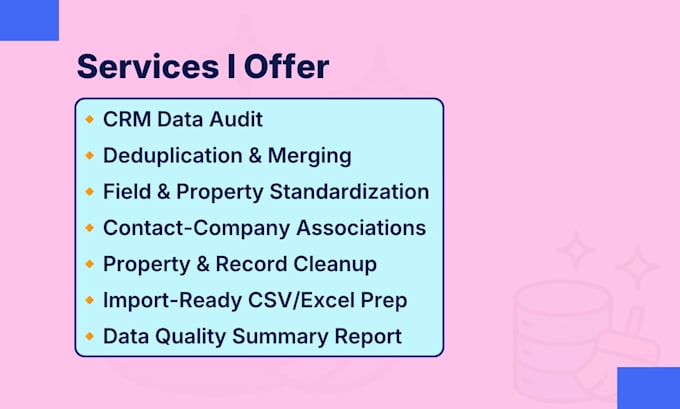
Up to 500 records (contacts and companies combined), standardization of up to 10 existing properties, a pre-change CSV export, duplicate review with a review sheet, and a basic cleanup report. Basic does not merge duplicates.
7. What is included in the Standard (Cleanup & Merge) package?
Up to 2,000 records (contacts and companies combined), up to 16 existing properties standardized, a pre-change CSV export, duplicate review, up to 40 approved merges (a group of 3 duplicates counts as 2), 100 association corrections, and a before/after QA report.
8. What is included in the Premium (Complete Cleanup) package?
Up to 5,000 records (contacts and companies combined), up to 20 properties standardized, a pre-change CSV export, duplicate review, up to 100 approved merges, 300 association corrections, validation checks, a before/after QA report and cleanup recommendations.
9. Can you handle large databases or other CRM work?
Yes. Larger databases are handled with a custom offer after I review your record count, plan and issues. Workflows, integrations, imports and migrations aren't part of this gig.
10. How does the process work?
1) Order and submit requirements. 2) I export a backup, then send merge rules and a sample for your approval. 3) I clean in batches and merge only approved duplicates. 4) I deliver a before/after report of the changes.