Sfoglia categorie
Italiano
$
USD
Connettiti alla tua IA

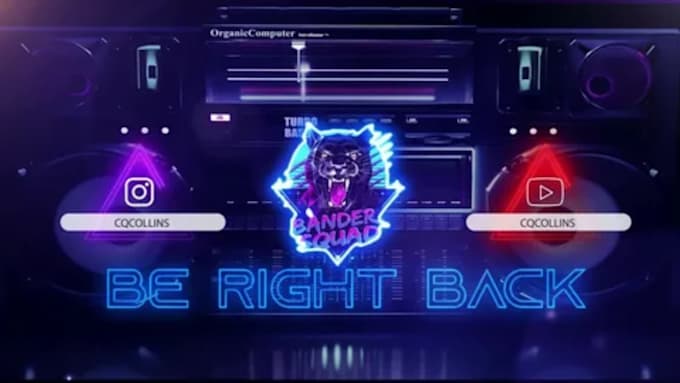
Are you looking to capture your audience's attention with a professional, high-end look?
Welcome to your ultimate destination for custom animated stream graphics! I specialize in designing eye-catching animated twitch stream overlays, dynamic starting soon screens, BRB screens, offline screens, and complete stream packages tailored for Twitch, Kick, and YouTube creators.
Whether you want a sleek futuristic cyberpunk design, a cozy lofi aesthetic, or a clean minimalist layout, I deliver smooth, professional loops optimized for OBS Studio and Streamlabs.
WHAT I OFFER:
Custom Animated Stream Overlays & Packages
Starting Soon, BRB & Stream Ending Screens
Offline Screens & Matching Panels
Smooth 1080p Motion Loops (MP4 / GIF)
WHY CHOOSE MY GIG?
100% original custom motion designs (No template spam)
Fast delivery, transparent communication, and full support
Perfect optimization for OBS & Streamlabs integration
Level up your stream aesthetic today! Send me a message with your channel vibe or color scheme before ordering.
Informa il freelance di eventuali preferenze o preoccupazioni relative all'uso di strumenti di IA nel completamento e/o nella consegna dell'ordine.
Elite 16 Bit, NSFW Pixel Artist and RPG Maker Specialist
Lingue
What file formats will I receive upon delivery?
You will receive high-resolution looping MP4 or GIF files optimized specifically for OBS Studio and Streamlabs, along with static PNG files if needed.
Are these overlays compatible with Twitch, Kick, and YouTube?
Yes! All graphics are designed universally and formatted correctly for whichever streaming platform you use.
Can you match my channel's logo, colors, or existing branding?
Absolutely. Send over your logo, color preferences, or reference boards, and I will customize the graphics to match your exact vibe.
How do I set up the animated screens in OBS?
Setup is simple! You just add a "Media Source" in OBS, check the "Loop" box, and upload your new MP4 file. I provide a quick guide if needed.
