Sfoglia categorie
Esplora
Fiverr Pro
Italiano
$
USD
Progettazione PCB, sviluppo di sistemi embedded e firmware
CIAO,
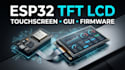
Firmware per display TFT LCD ESP32, touchscreen e GUI
Un display TFT è utile quanto il firmware che lo guida. Se il tuo progetto ESP32 mostra uno schermo vuoto, input touch instabile, rendering lento, colori sbagliati o una GUI che sembra incompleta, posso trasformare l'hardware del display in un'interfaccia embedded reattiva. Sviluppo firmware affidabile per ESP32 TFT LCD, touchscreen e GUI che trasforma il tuo hardware in un'interfaccia embedded reattiva.
Cosa fornirò:
Perché i clienti scelgono me?
Ideale per:
Prototipi ESP32, dispositivi IoT, pannelli HMI, display intelligenti, sistemi di monitoraggio, interfacce industriali e prodotti embedded personalizzati.
Pronto a dare vita al tuo display ESP32? Inviami i dettagli hardware e i requisiti del progetto. Li esaminerò e ti aiuterò a creare una soluzione touchscreen TFT funzionale e reattiva
Piattaforma:
ESP32
Traduzione automatica.
Puoi lavorare con il mio specifico ESP32 e TFT LCD?
Sì. Inviami la scheda ESP32 esatta, modello/controller del TFT, risoluzione e interfaccia così posso verificare la compatibilità.
Puoi integrare la funzionalità touchscreen?
Sì. Posso integrare controller touch capacitivi o resistivi compatibili, inclusa la calibrazione del touch e la logica di interazione.
Puoi usare LVGL per la GUI?
Sì. Posso sviluppare interfacce touchscreen TFT reattive usando LVGL quando l'hardware è adatto.
Puoi sviluppare una GUI personalizzata?
Sì. Posso creare schermate, pulsanti, widget, navigazione, indicatori e interazioni touchscreen personalizzate.
Puoi sistemare un progetto TFT LCD esistente?
Sì. Posso risolvere problemi di inizializzazione display, input touch, rendering, comunicazione, driver e firmware.


