Sfoglia categorie
Esplora
Fiverr Pro
Italiano
$
USD
Phantom Projects: Phantom costruito, Nova pronta
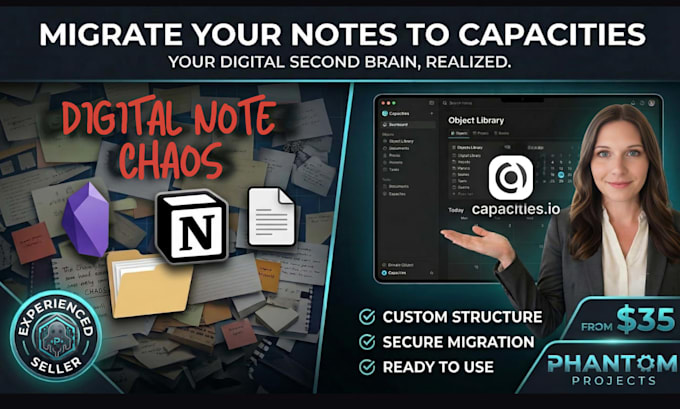
Vuoi spostare le tue note in Capacities ma ti senti sopraffatto da esportazioni, importazioni e dalla paura di perdere la struttura? Migro le tue note in Capacities e le trasformo in uno spazio di lavoro pulito e utilizzabile senza che tu debba passare giorni a cliccare tra i file.
Ecco come posso aiutarti:
- Esportare da strumenti come Notion, Obsidian o cartelle semplici in formati compatibili con Capacities (Markdown, testo, Word, CSV).
- Importare in Capacities e mappare i contenuti ai tipi di oggetti significativi (Progetti, Risorse, Idee, Persone, ecc.) invece di un dump disordinato.
- Pulire e organizzare durante il processo: duplicati di base, titoli migliori, tag semplici, attivi vs archivi.
- Opzionale: modelli e visualizzazioni semplici per trovare subito ciò che conta (progetti, note attuali, ricerche).
Riceverai:
- Uno spazio Capacities con le tue note importate e strutturate in modo sicuro.
- Una breve guida (e video Loom sui pacchetti più avanzati) che spiega come funziona il tuo nuovo sistema.
- Passaggi chiari per far crescere il tuo secondo cervello senza caos.
Questo servizio **non** è un dump generico di tutto e spera nell'import. Tratto le tue note come una vera base di conoscenza e progetterò la struttura con te.
Traduzione automatica.
Di quali informazioni hai bisogno da parte mia per iniziare?
Avrò bisogno di: (1) il file di esportazione di Notion (usa l'opzione 'Esporta tutto lo spazio di lavoro' di Notion e condividi il ZIP), OPPURE (2) accesso temporaneo al tuo spazio di lavoro Notion se preferisci non esportare. Ti invierò anche un breve questionario sulla struttura desiderata in Capacities prima di iniziare.
Quali formati accetti da Notion?
Notion esporta i contenuti come Markdown, HTML o PDF. Per la migrazione, consiglio l'esportazione in Markdown e CSV, perché preserva la maggior parte della struttura, inclusi proprietà e relazioni del database. Se non sei sicuro, esporta tutto e inviami il ZIP o concedimi l'accesso—me ne occuperò io.
I miei database e le relazioni verranno trasferiti correttamente?
Sì—con alcune traduzioni. I database di Notion diventano Object Types in capacities. Ogni elemento del database diventa un oggetto singolo. Le relazioni tra database diventano proprietà Object Select (link) in capacities. Questo rende i tuoi dati più flessibili e connessi rispetto a Notion.
Quanto tempo ci vuole in media per una migrazione?
I tempi di consegna sono indicati con ogni pacchetto: 2 giorni per Basic, 4 giorni per Standard e 7 giorni per Premium. Se hai spazi di lavoro complessi con molte relazioni o visualizzazioni personalizzate, scrivimi prima di ordinare così posso confermare i tempi.
Ho bisogno di un account Capacities a pagamento?
No—la versione gratuita funziona per la maggior parte delle migrazioni. Tuttavia, se hai molte immagini o file grandi, potrebbero applicarsi i limiti di storage gratuiti di capacities. Ti consiglierò dopo aver esaminato il tuo export. Gli account a pagamento rimuovono questi limiti e sbloccano funzionalità aggiuntive.
Cosa succede se qualcosa non si trasferisce perfettamente?
Revisiono manualmente ogni migrazione per garantire che i tuoi contenuti arrivino in modo sicuro. Per elementi senza un equivalente diretto (come formule o rollup di Notion), li ricostruirò usando le funzionalità native di capacities o spiegherò chiaramente le alternative. Le revisioni sono incluse nel pacchetto.
I miei dati sono al sicuro con te?
Assolutamente. Lavoro con i file esportati ogni volta che posso. Se preferisci condividere credenziali di accesso temporaneo, uso un password manager per cancellarle in modo sicuro dopo aver effettuato il logout. Non conservo i tuoi dati dopo aver completato la migrazione e le revisioni.
Sono nuovo di capacities—mi mostrerai come usarlo?
Sì! I pacchetti premium includono un tutorial in cui ti guiderò nel tuo nuovo spazio di lavoro, ti mostrerò come trovare i contenuti e spiegherò come funziona capacities. Può essere aggiunto anche ai pacchetti standard e basic come extra.
Devi la mia password di Notion?
No. Puoi fornirla se ti senti a tuo agio. Altrimenti, il modo più sicuro per vedere la tua struttura attuale è con un link pubblico temporaneo. Concedi permessi di sola lettura e disabiliti il link appena ho finito. (Posso anche usare screenshot se preferisci.) Esporta i file tu stesso, inviami il ZIP.
